
Enjoy a lighter and smarter editor for your app development
FlashDevelop offers first class support for ActionScript (2 & 3) and Haxe development, plus everything you need for modern web development. Here's what makes it a joy to use.
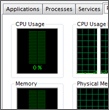
Fast & lightweight
FlashDevelop was created to be a fast and light editor and to run smoothly even on slower computers. A clean, uncluttered interface built on the Scintilla editor keeps you focused on your code.
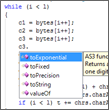
Completion & generation
First class code completion for ActionScript 2 & 3 and Haxe. Generate getters/setters, event handlers, delegates and documentation, refactor symbols, and navigate declarations in a keystroke.
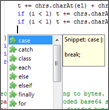
Snippets & templates
Highly flexible snippets and file templates speed up repetitive work. Create your own project templates so a new game, library or website starts fully wired-up.
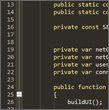
Highly customizable
Hundreds of settings, third-party plugins, syntax color themes and keyboard shortcuts. Bend the editor to the way you work — not the other way around.
And a whole lot more
Project compilation
Build ActionScript, Haxe, Flex, AIR and generic projects. Integrated MTASC, haxe, Flex SDK and AIR SDK support with one-click compile & test.
Integrated debugging
Set breakpoints, step through code, inspect locals and the call stack with the Flash Debug player and the AS3/Haxe debuggers.
SWF & SWC exploration
Inspect the contents of compiled SWF/SWC files, browse classes and assets, and reference libraries directly from the project.
Web development
A great HTML/CSS/JS/PHP/XML editor with completion, zen-coding, and source control support for svn, git and mercurial.
Tasks & bookmarks
Track TODO/FIXME/BUG tasks across the whole project and jump straight to them from the Tasks panel.
Plugin architecture
Everything is a plugin. Extend FlashDevelop with community plugins or write your own in C#.